Search by tag: a11y
2 articles
Eurogeo — learn Europe's flags and capitals offline
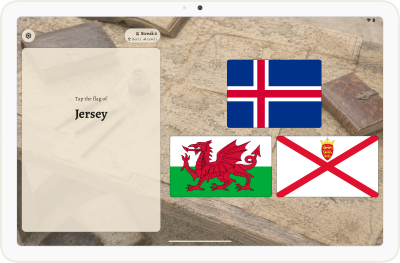
Eurogeo is out on the Google Play Store. It is a geography quiz centred on Europe.
In this release it asks about the countries' flags, their capitals, and the links between the two. Unlock new challenges as you climb levels. No account needed, no useless screens — open the app and you are already playing.
How the difficulty opens up
There are eighteen levels currently. Each one either adds a new kind of question, or widens the grid of answers to increase difficulty.
A level is bought with a run of correct answers in a row, and what it costs is drawn from a range rather than fixed — a fixed cost is a tell, and a player who learns the next game always arrives on the eighth answer starts counting instead of playing. A wrong answer restarts the count, but never takes back a level you have already earned.
Under the hood
Eurogeo is a Kotlin Multiplatform app, on the same foundation as Training Diary. The domain, data and presentation layers are written once in Kotlin — both platforms drive the same QuizViewModel — and each platform draws its own UI: Jetpack Compose on Android, SwiftUI on iOS. Text metrics, the accessibility tree and system-bar behaviour are then the platform's own rather than an approximation of them.
The content ships with the app. It lands in Room 3 on first launch, seeded from bundled JSON, with progress kept in DataStore. The release build is shrunk and obfuscated by R8, and warnings are compiled as errors on both platforms, which is what keeps deprecated APIs from quietly accumulating between releases.
Everything was written test-first, and the merge gate runs close to three hundred instrumented tests on a real phone and a real tablet. Both form factors matter: the layout changes above 600dp, so the tablet exercises paths a phone never reaches.
Accessibility
Colour is measured rather than chosen by eye. The quiz plays over a photograph, so every plate opacity and every ink colour is priced against that image's measured luminance and held to WCAG contrast ratios by a test that fails the build.
Screen readers get their own vocabulary. Flags are labelled by appearance, so TalkBack and VoiceOver can describe one without naming the country and giving the answer away. The score is announced as a sentence — "Streak 13, best 42, level 3" — and read after the question and the choices rather than before them.
Cards grow with the system text size instead of truncating, so a country name is never broken across a line, and every tap target meets the 48dp minimum.
If you enjoy Europe one country at a time, Eurolinguo does the same for its languages.
Training Diary 2.0.0
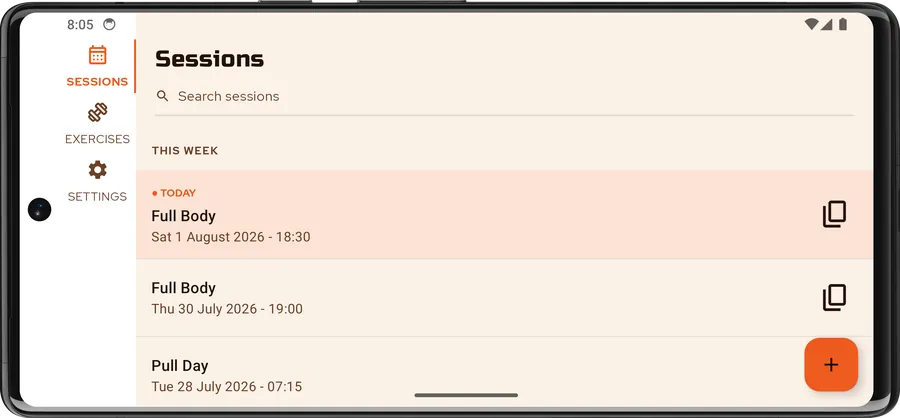
Training Diary is out on the Google Play Store. It is a straightforward log for the training you actually do: sessions, exercises, and sets counted in reps or timed, with weight or elastic-band resistance. It works entirely offline — no account, no sign-in, no backend.
The version number starts at 2.0.0 because this is not a first attempt. The original was a single-platform Android app I wrote years ago, before my official training; 2.0.0 is a complete rewrite in Kotlin Multiplatform, sharing one codebase across Android, iOS and Desktop. Android ships first.
Under the hood
The app is built with Compose Multiplatform on Kotlin 2.4, and all of the UI is shared — there
is no per-platform screen code. The project is split into core:* and feature:* Gradle modules
with a strict dependency direction: domain is pure Kotlin, data implements the interfaces
domain declares, and features never depend on each other. Screens follow MVI, wiring is
Koin, and persistence is SQLDelight
over local SQLite — typed queries, no reflection, and the same schema on every target.
Navigation uses Navigation 3.
The rest timer was the most interesting cross-platform problem. A countdown that only ticks while
the app is in the foreground is useless between two sets, so the alarm is scheduled with the
platform, not with a coroutine: an expect/actual scheduler backed by AlarmManager on Android
and by a local notification on iOS. It fires when the rest is over whether you switched apps or
locked the screen — and it degrades gracefully to an inexact alarm if the exact-alarm permission
is declined, rather than crashing.
Everything was written test-first, guided by ZOMBIES: roughly four in ten Kotlin files in the
repository are tests, covering domain logic, ViewModels, SQLDelight queries, the Koin graph,
navigation, and the Compose UI itself through runComposeUiTest. detekt, with the Compose
ruleset, gates every build.
Accessibility
Accessibility was part of the tests, not a pass at the end: TalkBack support, touch targets and layouts that survive the largest text and display sizes, light and dark themes, English and French, and tablet and landscape layouts that are laid out rather than stretched.
Your sessions stay on your device. You can export them to a file whenever you want and restore them just as easily.